Corner Symbols
Copy and paste corner text symbols for borders, frames, and box-style layouts
Corner symbols are Unicode characters typically used to form the corners of borders, frames, and text boxes in messages, notes, and simple layouts. They appear in multiple styles, including thin lines, thick lines, double lines, and curved corners, and they are often combined with line characters to outline content. This page includes corner keyboard text symbols for copy and paste and clarifies that emojis are excluded; you can quickly use examples such as └, ┗, ╚, and ╰ in your own text.
How to Copy and Paste Corner Symbols
Browse the corner symbols in the grid and select the characters you want for building borders or frames. Add the chosen corners to the editor, then copy and paste them into chats, documents, code comments, or any text field that supports Unicode.
What Are Corner Symbols?
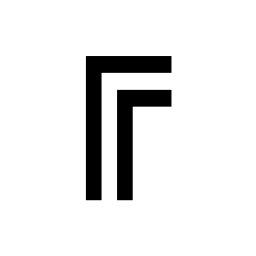
A corner symbol is a Unicode text character that is commonly used as a corner piece when constructing a border or frame in plain text. Corner symbols are often paired with horizontal and vertical line characters to form boxes, tables, separators, and framed callouts. Common corner characters include └ ┐ ┌ ┘ and their thick, double-line, or curved variants.
Popular Corner Symbols
These corner symbols are frequently used for making simple text boxes and frames. They are popular because they render clearly in many fonts and are easy to combine with line characters.
| Symbol | Name |
|---|---|
| ┌ | Top Left Corner (Light Line) |
| ┐ | Top Right Corner (Light Line) |
| └ | Bottom Left Corner (Light Line) |
| ┘ | Bottom Right Corner (Light Line) |
| ╔ | Top Left Corner (Double Line) |
| ╚ | Bottom Left Corner (Double Line) |
Corner Symbol Categories
Corner symbols are available in several visual styles. Grouping them by line weight and shape helps you keep borders consistent when you build frames, panels, and simple text layouts.
Thin (Light Line) Corner Symbols
Thin corner symbols are commonly used for lightweight borders in plain text layouts where a subtle frame is preferred.
┌ ┐ └ ┘ ┍ ┑ ┕ ┙
Thick (Heavy Line) Corner Symbols
Thick corner symbols are often chosen for stronger visual separation, headings, or high-contrast frames.
┏ ┓ ┗ ┛ ┎ ┒ ┖ ┚
Double Line Corner Symbols
Double line corners are typically used for formal-looking boxes and panels, especially when you want a clear frame around content.
╔ ╗ ╚ ╝
Curved Corner Symbols
Curved corners are commonly used for softer-looking text boxes and message styling where rounded edges fit the layout.
╭ ╮ ╰ ╯
Mixed Line Corner Symbols
Mixed corners combine thin and thick strokes and are often used for diagram-like borders or for matching a specific set of line characters.
┍ ┑ ┕ ┙ ┎ ┒ ┖ ┚
Box-Drawing Corner Variants
Some corner variants are used as part of broader box-drawing sets to create structured frames, table outlines, and UI-like panels in text.
┌ ┐ └ ┘ ┏ ┓ ┗ ┛ ╔ ╗ ╚ ╝
Decorative Corner Styles for Text Layouts
Decorative corner styles are typically used for visual formatting in messages and notes where the frame itself is part of the presentation.
╭ ╮ ╰ ╯ ╔ ╗ ╚ ╝
Corner Symbol Usage Examples
Corner symbols are commonly combined with line characters to frame content. These examples show how corners can be used in practical text layouts while keeping the design readable in plain text.
Simple Text Box
┌──────────┐ │ Notes │ └──────────┘
Double-Line Panel
╔══════════╗ ║ Status ║ ╚══════════╝
Rounded Frame
╭──────────╮ │ Title │ ╰──────────╯
Corner-Only Markers
┌ Item A └ Item B
Compact Callout
┏━━━━━━┓ ┃ Alert┃ ┗━━━━━━┛
Using Corner Symbols on Social Media and Online Platforms
Corner symbols are often used to format text into framed blocks for readability and emphasis on social media and online platforms. Since they are Unicode characters, you can copy and paste them into posts, bios, descriptions, and messages, then pair them with line characters to create simple boxes around titles or short announcements. Common platform uses include:
- Instagram captions formatted as framed text blocks
- Discord channel topics and server announcements with boxed headings
- TikTok profile text formatted with borders for sectioning
- X (Twitter) posts using framed snippets for readability
- WhatsApp and Telegram messages with boxed callouts
- YouTube descriptions using framed headers for sections
- Gaming profiles using simple borders for layout and emphasis
Professional and Practical Uses for Corner Symbols
- Creating text borders for notes and documentation
- Framing headers in plain-text readme files
- Building simple tables and panels in monospaced layouts
- Highlighting warnings or status blocks in messages
- Structuring code comments and terminal-friendly documentation
How to Type Corner Symbols on Any Device
- Select one or more corner symbols (for example, └ ╗ ╚ ╰) from the symbol grid.
- Copy the selected symbols using the copy button or CTRL+C (Windows/Linux) or ⌘+C (Mac).
- Paste the symbols into your app using paste or CTRL+V (Windows/Linux) or ⌘+V (Mac).
Unicode Corner Symbols and Common Names
Corner symbols are part of Unicode box-drawing and related character sets, where each corner shape is assigned a unique code point and an official name. This standardization helps the same corner characters work across operating systems, browsers, and apps, although exact visual weight can vary slightly by font.
Corner Symbols List and Common Uses
Use this list to reference corner symbols by appearance and typical usage in text borders and frames. Select a corner symbol to copy it for your layout or to keep a consistent corner style (thin, thick, double, or curved) across your design.