

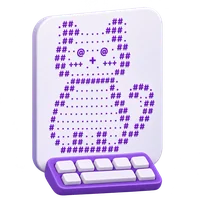
Miley :p ASCII Art
Copy the full design or open a copy in the editor.
Ready to copy
Make it your own
Copy the characters exactly as shown, or open this template on the drawing grid and change its shape.
Keep a monospaced font and preserve spaces and line breaks when pasting.
Saved ASCII art
More text art to explore
Copy another design, or open one on the drawing grid.

This page shows the Miley :p design in its original text format. Copy the complete design with its line breaks, or edit a copy in the generator to make your own version.
For the closest alignment, paste into a monospaced text editor or a field that preserves whitespace. Some apps and fonts display these Unicode block and line characters differently.
How to Use This ASCII Art Design
- Copy the complete design using the Copy button.
- Paste it into your message, document, or text editor and keep its line breaks.
- Choose Edit design to open this template directly in the ASCII Art Generator.
Copy or customize Miley :p
Use this template as text, or open its drawing grid to change the design before creating your own output.
 QUICK TUTORIALHow to draw text art?Draw text art, save editable projects in your browser, reopen a design, and download project backups or plain text.English narration · English captions · 27 secondsWatch tutorial
Keep the complete text arrangement
Copy and Download preserve the shown text output.
Paste into a space-preserving destination
Choose Copy, or select the text manually if clipboard access is unavailable. Download creates a separate UTF-8 .txt file that you can keep and open later.
Use a monospaced font and preserve spaces and line breaks. A narrow app may wrap the rows, and some message fields collapse repeated spaces. Inspect the pasted result before sending it.
Make a new version on the drawing grid
Edit opens the template in the ASCII editor.
Customize without changing the public template
Choose Edit to load the template grid, then draw or erase cells. Grid, Foreground and Background sit above Your text art. Undo and Redo in the Draw header help compare changes.
The template star saves a shortcut to the public design. To keep your changes, choose Save project in the editor and enter a name. Its arrow menu offers Download project for an editable .i2ascii.json backup; Open project lets you reopen saved designs or project files.
Inputs, results and privacy
Drawing, conversion, project import and downloads happen in your browser. Public templates and their assets load from i2Symbol. Projects, drafts and favorites belong to this browser; keep a project file before clearing site data.