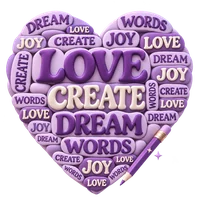
Turn your words into a little work of art. Play with shapes, colors, and type, then make it yours.
A little inspirationStyles keep your words
Your word art Heart
Aa✦
A few words. Endless possibilities.
Add your words to bring this canvas to life.
Arranging your words…
How to make word cloud art
01
Add words that matter
Enter one word or phrase per line, or switch to Paste text to count repeated words. Add a weight such as Love : 8 to emphasize a phrase.
02
Choose a shape and a style
Pick a silhouette and canvas format. Explore the ready-made styles, then adjust lettering, colors and spacing.
03
Review the arrangement
Use Shuffle layout for another arrangement. Check the preview and any placement notice; long words and extra spacing can leave less room.
04
Download or keep editing later
Choose PNG, JPG or an available SVG export. Save keeps an editable browser project; Download project creates a backup you can open later.
Turn meaningful words into shape word art
Word Cloud Art Maker arranges words and short phrases inside a chosen silhouette. Build a personal gift, classroom word display, mood board or social image with weighted text, coordinated colors and an editable layout.
Give words different weights, arrange them inside a shape, and export the finished artwork.
Use a list of names or phrases, or discover the most frequent words in a longer passage.
Choose list input or text analysis
Words & phrases keeps each line together. A suffix such as :5 gives that line more emphasis; larger weights suggest larger lettering. Phrases work best when they are short enough to fit the shape.
Paste text counts word frequency and can skip common English words. That filter is English-specific; turn it off when working in another language. Letter case controls appearance without requiring you to retype the source.
The editor accepts up to 20,000 characters and 250 unique words or phrases. In Paste text mode, it uses the 250 most frequent words when the source contains more. Import TXT accepts a UTF-8 text file within the same text limit.
A silhouette with personality
Choose a heart, star, flower, cloud, butterfly, circle, diamond, square or a letter.
Match the shape to your message
The shape is a boundary for the lettering, not a photo mask or an uploaded image. Your letter or number uses one visible character as the silhouette. Square, Portrait and Landscape change the canvas proportions.
The layout engine measures the actual glyphs and looks for open space. Not every shape can fit every word. Longer phrases, larger type and more breathing room reduce the available space; check any notice before exporting.
A coordinated color story
Start with one of eight visual presets, then personalize the palette and background.
Compare styles without losing your words
Choosing an art style changes its design settings while keeping your entered words. Select a color story or open Make your own palette to adjust the colors. Background and Transparent background control the area around the lettering.
PNG can keep transparency. JPG always uses the selected background color. Preview the result against its intended background when pale lettering or transparent areas are important.
Lettering that suits the design
Choose from six font styles, with optional installed fonts in browsers that support them.
Understand font access and SVG availability
Load system fonts asks the browser for access to fonts on this device. After loading them, Prev and Next make it easier to compare choices. Browser support varies; the built-in choices remain available.
PNG and JPG preserve the rendered appearance. SVG is offered when the tool can embed a supported bundled font covering every used character. Device fonts or unsupported glyphs use image export instead, avoiding an SVG that changes unexpectedly on another computer.
A project remembers a device font choice but does not carry that font file. Reopening on another device can require choosing an available font again.
Try another arrangement
Change direction, word count, spacing or the random layout while keeping the message.
Use density and repetition thoughtfully
Words in your art requests 40 to 240 placements. Repeat words to fill the shape allows the same word to appear more than once. Without repetition, fewer unique words naturally produce a more open result.
Breathing room sets the space between words. Horizontal, Mixed and Vertical guide their orientation. Shuffle layout creates another arrangement, while Undo and Redo let you compare edits. The requested count is a target, not a promise that every placement will fit.
A finished image and an editable original
Download the artwork for use now and keep a separate project if you want to change it later.
Choose the right kind of save
Download creates PNG, JPG or supported SVG artwork. Raster output offers 1×, 2× and 3× the selected canvas dimensions. Copy image places a PNG on the clipboard where supported.
Save keeps up to 50 named projects in this browser. Save a copy creates a separate entry, even when the titles match. Download project saves an editable JSON backup; Open restores a project file up to 256 KiB.
Browser projects are not account-synced. Clearing site data removes them. A downloaded image preserves the look; a downloaded project preserves the editable words and settings.
Text, output and browser processing
Input is typed text or UTF-8 TXT, up to 20,000 characters. List input supports 250 unique words or phrases. Text analysis uses the most frequent 250 words when necessary.
Word analysis, layout, rendering and image export run in your browser. No text is sent to a remote generation service. Save is explicit; download a project backup when the design needs to survive clearing browser data.
FAQ
Good to know.
A few answers before you get started.
How do I make one word larger?
In Words & phrases, put a weight after the word, such as Love : 8. Larger weights suggest larger lettering, subject to the chosen shape and available space.
Can I use a sentence as one item?
Yes. In list mode, each line stays together as a phrase. Short phrases are easier to fit than long sentences. Paste text mode analyzes individual words instead.
Why are some words missing?
The layout cannot always fit every item. Long phrases, tight shapes and extra spacing reduce room. Check the notice, shorten phrases, reduce spacing or try another shape.
Can I make a transparent word cloud?
Yes. Enable Transparent background and download PNG or a supported SVG. JPG uses your chosen background color.
Why is SVG unavailable for my font?
SVG requires a bundled font that can be embedded and covers every used character. Device fonts and unsupported glyphs use PNG or JPG so their appearance is retained.
Will saved projects survive clearing the browser?
Clearing site data removes browser projects. Download project creates an editable file you can keep separately and reopen.