Find a starting theme
Open Emoji Combos and browse the 12 themes, or use mood, color and search to narrow the original collection. The 96 presets are starting points; you can change the individual characters.
Look for one central idea such as a quiet evening, a trip or a favorite activity. Color filters describe a general impression. The exact emoji colors will still depend on the app and device where they appear.
Choose the characters you want to keep
Set a length from three to seven emoji and use a slot picker to replace a character. One clear subject with a few supporting symbols usually reads more naturally than an unrelated collection.
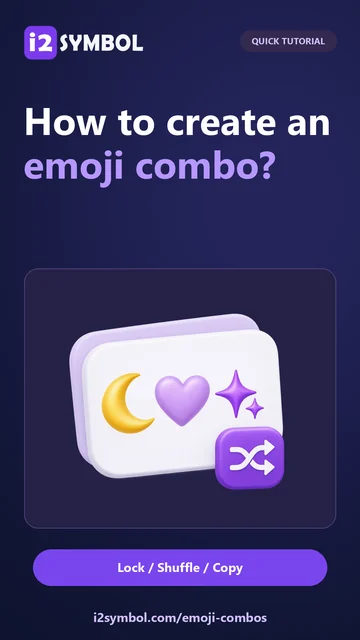
Lock the positions you like before shuffling. The unlocked slots can change while those favorites stay in place. Choosing another preset also respects locks, so unlock a position when you want the new preset to replace it.
Compare the separators
Try spaces, dots or no separator with the same sequence. Spaces leave breathing room; dots make each character feel distinct; no separator keeps the result compact.
Add a sparkle, heart or bracket wrapper only if it improves the whole line. These decorations are characters too and contribute to the length of a bio. Undo lets you return to a recent version while comparing alternatives.
Copy, save or download
Copy the finished combo and paste it beside your own words. Check that each emoji is supported and that the line does not wrap awkwardly. You can remove an emoji or decoration if it feels crowded.
The star saves the actual customized state in this browser, including its locks. Saved restores that state; choosing a regular preset works with your current locks. Download a TXT file for a separate copy because browser favorites do not sync and can disappear when site data is cleared.
Small choices that help
Let one emoji carry the idea
Choose the subject first. The other characters can suggest a place, mood or activity without competing with it.
Check the smallest destination
A combo that looks balanced on a desktop can occupy two lines in a narrow profile. Try it where you intend to use it.
Useful questions
Does this merge two emoji into a new picture?
No. It makes a text sequence from existing emoji and optional decorative characters.
Why did an emoji stay when I chose another preset?
Its position may be locked. Presets and shuffle preserve locked positions; unlock it to allow replacement.
Can I keep my customized combination?
Yes. Save it with the star in this browser, or download the finished text as TXT. Local favorites are not an account backup.