Enter a short line of text
Open Curved Text Generator and replace the sample with your phrase. The tool accepts one line with up to 120 visible characters, subject to an additional bound for unusually long combined sequences. A short phrase is easier to balance on an arc.
Choose a font that suits the message. The eight included choices use a mixture of hosted and device fonts. System font access is optional and requires a button click and permission where the browser supports it.
Choose the direction of the curve
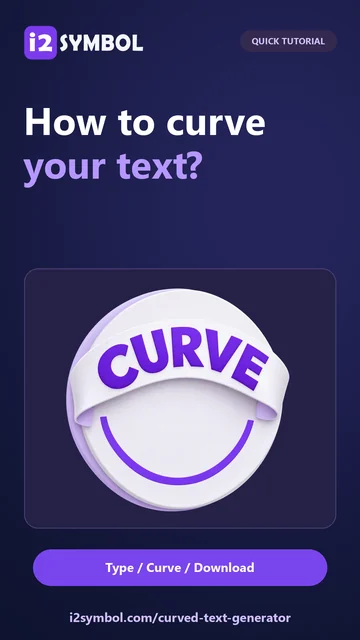
Use a positive curve to arch upward, a negative curve to bend downward, or zero for a straight line. The example turns GOOD VIBES into a downward arc. A near-full circle leaves a small seam gap rather than forcing the ends to overlap.
Very short text can use a softened curve to avoid folding. Read any fit warning and judge the actual shape instead of treating the numeric angle as a promise that every word will form the same geometry.
Balance spacing, color and effects
Adjust font size, spacing and rotation, then choose the text color. Add an outline or shadow when it helps separate the lettering from the place where you will use it. Too much spacing can make a curved phrase harder to read.
The browser shapes the complete text before the image is bent, preserving joined lettering as a starting point. Bending still changes glyph shapes. Font coverage and browser spacing support vary, so inspect connected scripts and emoji in the actual output.
Export the right background
Set the output width and padding, keeping room around the outer letters. The artwork can reduce in size to fit within the output limits, with a warning. Download PNG for transparency or JPG with the selected background.
Save a named design in this browser when you want to edit it later, and download a JSON project backup for a separate editable copy. A project stores text and settings, not font files, so another device may need the same font to reproduce the appearance.
Small choices that help
Curve first, decorate second
Find a readable arc before adding an outline or shadow. It is easier to compare shapes when the extra effects are restrained.
Check the first and last letters
The ends of a curved title can approach the image edges. Leave enough padding and open the exported file to verify the margins.
Useful questions
Is the result copyable curved text?
The curved result is an image. Download PNG or JPG; ordinary copied text cannot carry this geometry into a text field.
Can I download SVG?
This tool exports raster PNG or JPG, not SVG. The lettering is rendered and bent as an image.
Will a saved project include my installed font?
No. It contains the design text and settings, not the font bytes. A different device may need that font installed or an available alternative.