Symbols & text / A PRACTICAL GUIDE

How to make a text divider or bordered note

Give a short message a clear boundary.

A divider separates sections; a border gives a few lines their own frame. Both are made from text characters. The important final check is whether the destination keeps their spacing, so start with a compact design and paste a sample before publishing.

Before
New chapter
After New chapter between two thin lines and open circles

New chapter framed with the Open circle divider at length 40. The After panel renders the exact TXT output in a monospaced font.

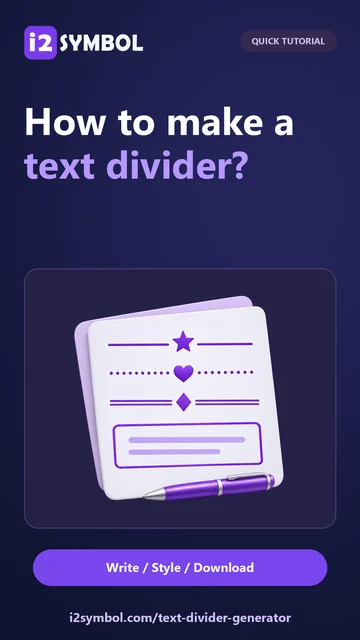
QUICK TUTORIALHow to make a text divider?Give your next message a decorative divider. Choose a style and check the live preview.English narration · English captions · 20 secondsWatch tutorial

How to make a text divider?

Choose a divider or a border

Open the generator and select Dividers for a decorative separator or Text borders for a framed message. Browse a few styles with the same content so the pattern, rather than a change of wording, guides your choice.

For a note, use a short heading and one or two useful lines. Explicit line breaks help organize the message. A narrow frame is easier to fit into a phone message than a very wide information box.

Add words or keep the frame alone

In Dividers, Frame only gives you the decorative pattern by itself. Choose Text frame when you want words included. Switching between these options preserves the text you entered. Text borders always show the text field.

A short custom center symbol can personalize a divider. Keep it restrained when the surrounding message already has emoji or decorative lettering. A simple line can be more effective than a dense pattern.

Adjust length and spacing

Change the length and available spacing controls, then inspect the result. For a border, leave enough room for the words to wrap naturally. Preserve deliberate line breaks where they make the message easier to scan.

Box borders work best in a monospaced font. Emoji and some other symbols can have different widths across devices, so a perfectly aligned editor preview is not a promise of identical alignment in every app.

Copy and check the destination

Copy the result and paste it into your message, notes app or profile editor. If the sides become uneven, use preformatted text or a code block where supported. Otherwise shorten the lines or choose a simpler pattern.

Download keeps the exact generated text in a TXT file. The favorite star remembers a style in this browser, not the words inside your finished message. Keep a TXT copy when you want to reuse the complete bordered note.

Small choices that help

Test with the destination font

A proportional font changes letter widths. A code block or monospaced text field is usually the better home for an aligned box.

Shorten before adding more decoration

When a pattern wraps unexpectedly, reducing its length often helps more than adding another row or wider spacing.

Useful questions

Why does a border line up here but not after pasting?

The destination may use a different font, change spaces or wrap lines. Emoji widths can also vary. Try a shorter frame and preformatted text.

Do favorites keep my entered message?

Favorites remember the style only. Download the finished TXT if you want to retain both the frame and your words.

Are these image borders?

No. The result is a sequence of ordinary and decorative Unicode characters that can be copied as text.
Example detail

Language38

EnglishالعربيةFrançaisItalianoDeutschEspañolPortuguêsNederlandsРусскийTürkçe日本語中文हिन्दीBahasa IndonesiaBahasa Melayu한국어Tiếng ViệtไทยPolskiSvenskaУкраїнськаNorskবাংলাΕλληνικάفارسیاردوČeštinaDanskMagyarRomânăSuomiБългарскиFilipinoქართულიSlovenčinaAzərbaycancaעבריתSlovenščina

All tools55

SymbolsFind and copy Unicode symbols for every message.Symbol RecognizerDraw a character to see matching Unicode symbols, learn their names and copy the one you need.Text EmoticonsSay it with expressive faces made from text.Kaomoji MakerMake a little face with a lot of personality. Mix eyes, mouths and decorations, explore moods, and copy your own text emoticons.Copy and Paste FontsGive your words a new style with decorative lettering.Font PreviewerTry your text in different fonts, compare styles and find your favorite. Explore included fonts or enable fonts installed on your device.Text Divider & Border GeneratorCreate decorative dividers and text borders. Adjust the style, length and spacing, then copy or download your text.Aesthetic Bio MakerBuild a personal bio with editable layouts, styled names and emoji accents. Preview its length, then copy, download or save it.Invisible Character GeneratorCopy blank-looking Unicode text, adjust repetitions, inspect pasted characters and preview removal of selected invisible types.Discord Text FormatterFormat Discord messages with Markdown, check an approximate preview, copy the text and save messages in your browser.Discord Timestamp GeneratorCreate Discord timestamps from a date, time and time zone. Preview the display formats and copy ready-to-paste timestamp codes.Discord Channel Name & Server Layout GeneratorStyle channel names and plan a Discord server with editable categories, ready-made layouts and copyable names.Discord Colored Text GeneratorCreate multicolor Discord messages with ANSI text, custom colors, formatting and a live preview.Discord Embed BuilderBuild Discord embed messages with a live preview, editable fields and validated JSON to copy or download.Stylish Name GeneratorCreate decorative names with Unicode fonts and symbols, customize the details, then copy, download or save them in your browser.Word Cloud Art MakerTurn words into colorful shapes with beautiful fonts and palettes. Save your design or download an image.Emoji Photo Mosaic MakerTurn a photo into a mosaic made of emoji tiles. Adjust the detail, choose a collection, and download your artwork.Pixel Art MakerDraw pixel art with colorful palettes, layers, and mirror tools. Start with a little inspiration and export your creation.ASCII Banner GeneratorCreate block, shadow and 3D-style text banners with FIGlet fonts, then copy, download or save the result in your browser.Text to Emoji ArtCreate text art using your favorite emojis.Design TemplatesExplore templates and starting points for cards, quotes, memes, comics and more.Photo MontageExplore creative compositions for your photos.Photo Booth & Photo Strip MakerCapture a few happy moments. Make photo strips with your camera or uploads, playful frames, filters and your own caption.Photo Collage & Scrapbook MakerBring your favorite photos together in beautiful grids and scrapbook layouts, with captions, stickers and little personal touches.Seamless Pattern MakerTurn little motifs into endless patterns. Mix flowers, stars, hearts and your own images with beautiful colors and seamless repeats.Quote MakerTurn quotes and poems into expressive images with editable templates, fonts and backgrounds.Meme GeneratorMake your own memes with editable captions, six layouts, and one or two photos.Comic MakerAdd your own dialogue and captions to editable comic templates.Cover Photo MakerCreate a cover image with editable text, photos, shapes and templates.Draw with EmojiDraw emoji art with brushes, shapes and photo tracing, then download a PNG.Emoji PickerFind emojis, build your message, and copy or save it as an image.Discord Emoji Maker & CompressorCreate custom Discord emojis from your images. Crop, resize and compress files in your browser before downloading.Emoji CombosFind a themed emoji combo, edit the sequence, and lock or shuffle your choices. Copy, download or save a favorite.Emoji TranslatorMatch English words with emoji, choose alternatives or read emoji names, then copy or save your result.Cool LettersDiscover decorative letters for your next idea.Alphanumeric SymbolsBrowse alternative letter and number characters.ASCII Art GeneratorExplore pictures made with letters and characters.Image to ASCII & Dot ArtConvert pictures into ASCII or Braille dot art, adjust the tone and detail, then copy text or download TXT and PNG.3D TextGive your text an expressive dimensional style.Curved Text GeneratorShape text into arcs or circles, adjust fonts and colors, and download a PNG or JPG design.Animated Text GeneratorCreate animated text with eight effects, preview the motion, then download a GIF or PNG and keep an editable project.Write on Animated GIFsAdd your words to an animated GIF.Add Text to ImageAdd words to a photo or personalize a postcard with editable designs.Alt CodesLook up keyboard codes for special characters.Text to ImageStyle text, symbols and emoji as PNG, JPG or WebP images.Signature GeneratorDraw a smooth signature, type a name or clean up handwriting from paper, then download your signature image.Photo EffectsExplore creative filters, effects, and photo frames.Photo FramesFinish your photo with a decorative frame.Profile Picture MakerCreate a photo, initials or emoji avatar with styles and frames.Discord Banner & Server Icon MakerCreate Discord server banners, profile banners and server icons with editable designs and image downloads.Sticker MakerMake photo stickers with captions, colorful outlines and cutout refinements, then download PNG, WebP or JPG.StickersDownload expressive smiley stickers for personal use.Free ClipartSearch by keyword or color and download SVG or PNG artwork.Online KeyboardType with 69 keyboard layouts, then copy or download your text.Handwriting Font MakerDraw your own letters, numbers and punctuation. Preview your handwriting in a phrase and download a personal OTF font.